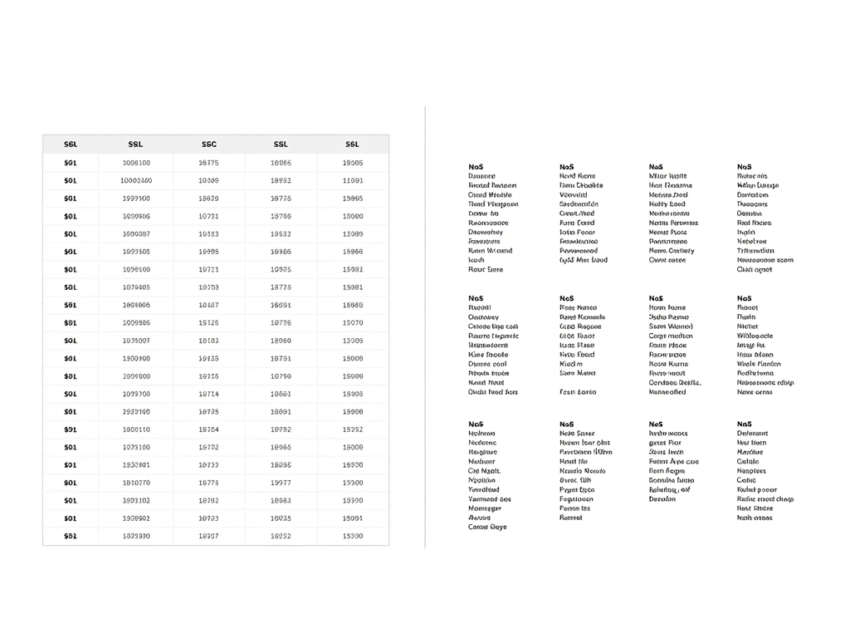
Introduction
SQL vs NoSQL databases is one of the most important technology decisions developers and businesses face when building modern applications. Databases store and manage the information that powers websites, mobile apps, e-commerce platforms, financial systems, cloud services, and business applications.
SQL databases have been used for decades and remain a major choice for structured data and transactional applications. NoSQL databases emerged to address different requirements, including flexible data structures, large-scale workloads, and distributed applications.
Both database approaches have important advantages. The right choice depends on the application’s data, workload, scalability requirements, performance goals, security needs, and development environment.
This guide explains the difference between SQL and NoSQL databases, their benefits, common use cases, limitations, and practical factors to consider when choosing between them.
What Is an SQL Database?
SQL stands for Structured Query Language.
SQL databases, commonly known as relational databases, organize information into tables consisting of rows and columns.
For example, an online store might have separate tables for:
- Customers
- Products
- Orders
- Payments
- Inventory
These tables can be connected through relationships.
SQL databases generally use a predefined schema, meaning the structure of the data is defined before information is stored.
Popular relational database technologies include PostgreSQL, MySQL, Microsoft SQL Server, and Oracle Database.
What Is a NoSQL Database?
NoSQL generally refers to non-relational database technologies designed for data models and workloads that do not necessarily fit traditional relational structures.
NoSQL databases can use models such as:
- Documents
- Key-value pairs
- Wide columns
- Graphs
Many NoSQL systems provide flexible schemas and are designed to support distributed workloads.
Popular NoSQL technologies include MongoDB, Cassandra, Redis, and various graph and cloud-native database platforms.
SQL vs NoSQL: Key Difference
The fundamental difference is how the databases organize and manage information.
SQL databases primarily use structured tables and relationships.
NoSQL databases can use flexible models such as documents, key-value pairs, graphs, or wide-column structures.
For example, a relational database might store a customer’s information across several related tables.
A document database could store much of the customer’s information inside a single document.
Neither approach is automatically suitable for every application.
SQL vs NoSQL Database Comparison
| Feature | SQL Databases | NoSQL Databases |
|---|---|---|
| Data model | Relational tables | Documents, key-value, graph, wide-column |
| Schema | Usually structured | Often flexible |
| Query language | SQL | Varies by database |
| Relationships | Strong relational support | Depends on database |
| Transactions | Strong support | Varies by system |
| Scalability | Vertical and distributed options | Often designed for horizontal scaling |
| Data consistency | Often strong consistency | Varies by system |
| Best suited for | Structured workloads | Flexible and distributed workloads |
The table provides a general comparison. Individual database products can behave differently.
How SQL Databases Work
SQL databases organize information into tables.
Each table contains columns that define the type of information stored and rows representing individual records.
For example:
Customers
| ID | Name | |
|---|---|---|
| 1 | Ali | ali@example.com |
| 2 | Sara | sara@example.com |
A separate orders table could connect orders to customers through identifiers.
This relational model makes it possible to perform complex queries across multiple tables.
SQL Queries
SQL allows developers to interact with relational databases.
Common SQL operations include:
- SELECT
- INSERT
- UPDATE
- DELETE
- JOIN
- WHERE
- GROUP BY
- ORDER BY
For example, a developer can use SQL to retrieve customers who placed orders during a particular period.
SQL is widely used in application development, business intelligence, reporting, and data analysis.
Benefits of SQL Databases
SQL databases provide several important advantages.
Structured Data
Relational databases are well suited to structured information.
Strong Relationships
Tables can be connected through relationships.
Transaction Support
SQL databases are commonly used for applications requiring reliable transactions.
Mature Technology
Relational databases have a long history and extensive tooling.
Powerful Queries
SQL provides powerful capabilities for filtering, joining, grouping, and analyzing information.
Data Integrity
Constraints can help enforce rules around stored information.
What Is a Database Schema?
A database schema describes the organization and structure of information.
In a relational database, a schema can define:
- Tables
- Columns
- Data types
- Relationships
- Constraints
- Indexes
A structured schema can help maintain consistency and data quality.
However, changing schemas in large production systems may require careful planning.
How NoSQL Databases Work
NoSQL databases use different models depending on the technology.
Document Databases
Information is stored in documents.
This can be useful when records contain nested or changing structures.
Key-Value Databases
Information is stored as key-value pairs.
These systems can be useful for fast lookups and caching.
Wide-Column Databases
Information is organized around column families and can support large distributed workloads.
Graph Databases
Information is represented through nodes and relationships.
Each NoSQL model is designed for different types of problems.
Benefits of NoSQL Databases
NoSQL databases can provide several advantages.
Flexible Data Models
Applications can often store information without requiring a rigid relational schema.
Horizontal Scalability
Many NoSQL platforms are designed to scale across multiple servers.
Large Data Volumes
Some NoSQL technologies are designed for massive distributed datasets.
High Availability
Distributed architectures can support applications that require high availability.
Rapid Development
Flexible data models can simplify development for applications whose data structures change frequently.
SQL vs NoSQL Scalability
Scalability is an important consideration.
Vertical Scaling
Vertical scaling means increasing the resources of a database server.
This can include:
- More CPU
- More RAM
- Faster storage
Traditional relational databases can use vertical scaling and may also support distributed architectures depending on the platform.
Horizontal Scaling
Horizontal scaling involves adding more servers or nodes.
Many NoSQL databases were designed with distributed horizontal scaling as a core capability.
However, modern SQL databases can also support distributed and horizontally scalable architectures.
Therefore, the SQL-versus-NoSQL scalability distinction is not absolute.
SQL vs NoSQL Transactions
Transactions are particularly important for applications such as banking and payment systems.
A transaction groups operations together so that the system can maintain reliable results.
Relational databases have traditionally been strong in transactional workloads and commonly support ACID transaction properties.
Some NoSQL databases also support strong transactions, while others use different consistency models.
Developers should therefore examine the specific capabilities of the database rather than assuming that all SQL or NoSQL systems behave identically.
SQL vs NoSQL Data Relationships
Relational databases are designed around relationships between tables.
For example:
Customer → Order → Product
This makes SQL databases useful when applications frequently need to connect related information.
NoSQL systems can also represent relationships, but the approach depends on the database type.
Document databases may embed related information, while graph databases explicitly represent relationships.
SQL vs NoSQL Performance
Performance depends heavily on workload and database design.
SQL databases can provide excellent performance when tables, indexes, queries, and schemas are designed properly.
NoSQL databases can provide excellent performance for workloads suited to their specific data models.
Factors affecting database performance include:
- Query design
- Indexing
- Data structure
- Hardware
- Network latency
- Caching
- Database configuration
- Application architecture
Choosing a database solely because it is described as “fast” can therefore be misleading.
SQL Databases for Business Applications
SQL databases are widely used for structured business systems.
Common applications include:
- Accounting
- Customer management
- Inventory
- Enterprise software
- Financial transactions
- Human resources
- E-commerce
Businesses often need reliable relationships and transactions, making relational databases useful for many workloads.
NoSQL Databases for Modern Applications
NoSQL databases can be useful for applications with flexible or rapidly changing data.
Potential use cases include:
- Social media
- Content platforms
- Real-time applications
- Large-scale web applications
- IoT systems
- Mobile applications
The suitability depends on the specific database technology and application architecture.
SQL for E-Commerce
Online stores frequently manage highly structured information.
A typical e-commerce database may contain:
- Customer records
- Products
- Orders
- Payments
- Inventory
- Shipping
Relationships between these records are important.
For example, an order may belong to a specific customer and contain multiple products.
A relational database can naturally represent these relationships.
NoSQL for E-Commerce
NoSQL databases can also be used in e-commerce.
For example, a document database can store flexible product catalogs where different products have different specifications.
A clothing product might have:
- Size
- Color
- Material
An electronic product might have:
- Processor
- Memory
- Storage
- Display
A flexible document model can simplify the storage of different product structures.
SQL vs NoSQL for AI Applications
Artificial intelligence is creating new database requirements.
AI applications may need to store:
- Documents
- User data
- Metadata
- Embeddings
- Conversation history
A modern AI application may use multiple database technologies.
For example, a relational database can store user accounts and transactions, while a vector database can store embeddings for semantic search.
This demonstrates that SQL and NoSQL systems can work together.
SQL vs NoSQL for Big Data
Large-scale applications can require databases capable of handling huge amounts of information.
Some NoSQL technologies are specifically designed for distributed data processing and large workloads.
However, modern relational systems can also support large-scale analytics and distributed architectures.
The correct choice depends on:
- Data volume
- Query patterns
- Consistency requirements
- Infrastructure
- Performance requirements
SQL vs NoSQL Security
Security is important for both SQL and NoSQL databases.
Important controls include:
- Authentication
- Authorization
- Encryption
- Access management
- Network security
- Monitoring
- Auditing
- Backup
Database administrators should follow least-privilege principles and avoid giving applications unnecessary permissions.
Sensitive information should receive appropriate protection.
Database Backup and Recovery
Regardless of database type, organizations need reliable backup and recovery procedures.
Backups can help protect against:
- Hardware failures
- Accidental deletion
- Cyberattacks
- Software errors
- Infrastructure outages
Organizations should test recovery procedures regularly.
A backup that has never been tested should not be treated as a guaranteed recovery solution.
SQL vs NoSQL Cloud Databases
Cloud computing has expanded database choices.
Cloud providers offer both relational and NoSQL database services.
Cloud databases can provide:
- Managed infrastructure
- Automated backups
- Scaling
- Monitoring
- Replication
- High availability
Businesses should compare performance, pricing, supported features, security, and vendor dependence before selecting a cloud database.
Hybrid Database Architecture
Modern applications do not always need to choose between SQL and NoSQL.
A hybrid database architecture can use different systems for different workloads.
For example:
- SQL database for financial transactions
- NoSQL database for flexible application data
- Cache for fast access
- Search engine for full-text search
- Vector database for AI retrieval
This approach can provide flexibility but also increases operational complexity.
When Should You Choose SQL?
SQL may be appropriate when:
- Data is highly structured.
- Relationships are important.
- Transactions are critical.
- Strong consistency is required.
- Complex queries are common.
- Reporting is important.
- The development team has strong SQL expertise.
Financial applications and many enterprise systems are examples of workloads where relational databases can be appropriate.
When Should You Choose NoSQL?
NoSQL may be appropriate when:
- Data structures change frequently.
- Large-scale distributed workloads are required.
- Horizontal scaling is important.
- The application needs a flexible data model.
- Low-latency access is required for specific workloads.
- The chosen NoSQL model fits the application’s data.
However, these factors should be evaluated against the capabilities of the specific NoSQL database.
How to Choose Between SQL and NoSQL
A practical decision process can include:
1. Understand Your Data
Determine whether your data is structured, semi-structured, or highly variable.
2. Analyze Queries
Identify how the application will search and retrieve information.
3. Evaluate Transactions
Determine whether strong transactional guarantees are required.
4. Estimate Scale
Consider current and future data volumes.
5. Consider Performance
Identify latency and throughput requirements.
6. Review Security
Evaluate authentication, encryption, access controls, and auditing.
7. Consider Costs
Analyze infrastructure, licensing, cloud usage, and maintenance costs.
8. Evaluate Developer Skills
Choose technology your team can operate effectively.
9. Test Before Deployment
Build a prototype and test realistic workloads.
Common Mistakes When Choosing a Database
Developers sometimes make database decisions based only on popularity.
Other common mistakes include:
- Choosing technology without understanding the workload
- Ignoring data relationships
- Underestimating future growth
- Failing to test performance
- Neglecting security
- Using too many database technologies
- Ignoring backup and recovery
- Choosing a database that the team cannot effectively manage
A simple and reliable architecture can often be better than unnecessary technical complexity.
SQL vs NoSQL in 2026
Modern database development is moving beyond the idea that SQL and NoSQL are competing technologies.
Businesses increasingly use multiple database systems based on workload requirements.
Important trends include:
- Cloud databases
- Distributed SQL
- Vector databases
- AI-powered database management
- Real-time analytics
- Database automation
- Serverless databases
- Data observability
AI is also creating new opportunities for natural-language database interfaces and intelligent query optimization.
The Future of SQL and NoSQL Databases
Both SQL and NoSQL technologies are likely to remain important.
Relational databases will continue supporting structured transactional workloads, enterprise systems, analytics, and many web applications.
NoSQL databases will continue supporting flexible data models, distributed applications, real-time systems, and specialized workloads.
The growing use of AI may also lead to more database architectures combining relational, document, search, vector, and graph technologies.
The future is therefore likely to involve database specialization and integration rather than one universal database model.
Conclusion
SQL vs NoSQL databases is not simply a question of which technology is better. The right choice depends on the application’s requirements.
SQL databases provide structured schemas, powerful queries, relationships, data integrity, and strong transaction capabilities. They remain highly relevant for financial systems, enterprise applications, e-commerce platforms, and other structured workloads.
NoSQL databases provide flexible data models and can be useful for distributed, large-scale, real-time, and rapidly changing applications.
Modern cloud and AI applications can also use both approaches together. A business might use SQL for transactions, NoSQL for flexible data, a cache for performance, and a vector database for AI-powered search.
Before choosing a database, developers should evaluate data structure, workload, transactions, scalability, performance, security, cost, and technical expertise.
SQL and NoSQL databases will both remain important parts of modern database technology. Instead of choosing based on trends alone, developers and businesses should select the database architecture that best matches their real technical and business requirements.